



Big news! Massive Update! WP Tabs has officially evolved into Smart Tabs. Not just a new name, it has introduced new features, functionalities, experiences, and new opportunities for both your site and store.
Specially, it has launched many robust features for custom product tabs in WooCommerce.
So, adding custom product tabs and managing them is now more efficient, easier, and faster than ever before.
Let’s explore the new dimensions of Smart Tabs.
Why You Need Smart Tabs
Many of modern shoppers expect more than just a basic product description. Smart Tabs helps you deliver rich, well-structured information that makes your pages feel complete, professional, and trustworthy.
Provide All the Details Shoppers Need
Shoppers often leave when they can’t find the details they need. With Smart Tabs, you can easily add manufacturer info, care instructions, shipping policies, FAQs, videos, certifications, and more, making your content crystal clear. Clearer information reduces hesitation, builds trust, and grows sales.
Organize Rich Content Smartly
Much rich information on one page overwhelms users and hurts conversions. Smart Tabs lets you organize details into clean, collapsible tabs or accordions that feel intuitive and easy to navigate. Present product information in a way that looks good, feels professional, and keeps your page layout clean and focused.
Customize Content by Product
Not all products are created equal, and their details shouldn’t be either. Smart Tabs lets you create product- or category-specific tabs like “Tech Specs,” “Fabric Care,” or “Nutritional Info.” This level of customization ensures each product has the most relevant content to inform and convert buyers.
Enhance Shopping Experience
When customers can find everything they need—quickly and in one place—they stay longer and convert more often. Smart Tabs helps reduce friction in the buying journey by organizing content logically and beautifully. A smoother experience leads to happier users and fewer abandoned carts.
Boost Sales Growth
Informative, easy-to-navigate product pages directly impact conversions. By helping customers feel more confident in their decisions, Smart Tabs drives more purchases. With better product storytelling and a frictionless experience, your site becomes more persuasive and more profitable.
Stand Out from the Crowd
Most WooCommerce stores rely on generic, default tabs that blend into the crowd. Smart Tabs lets you break free with fully branded, customized, and feature-rich tab sections. When your site looks more polished and helpful than your competitors’, your brand stands out and becomes popular.
Let’s Explore What’s New in Smart Tabs 3.0.0
Smart Tabs 3.0.0 introduces a powerful set of user-friendly features designed to make creating and managing tabs faster, easier, and more efficient than ever. Let’s explore them.
Dedicated Product Tab for WooCommerce
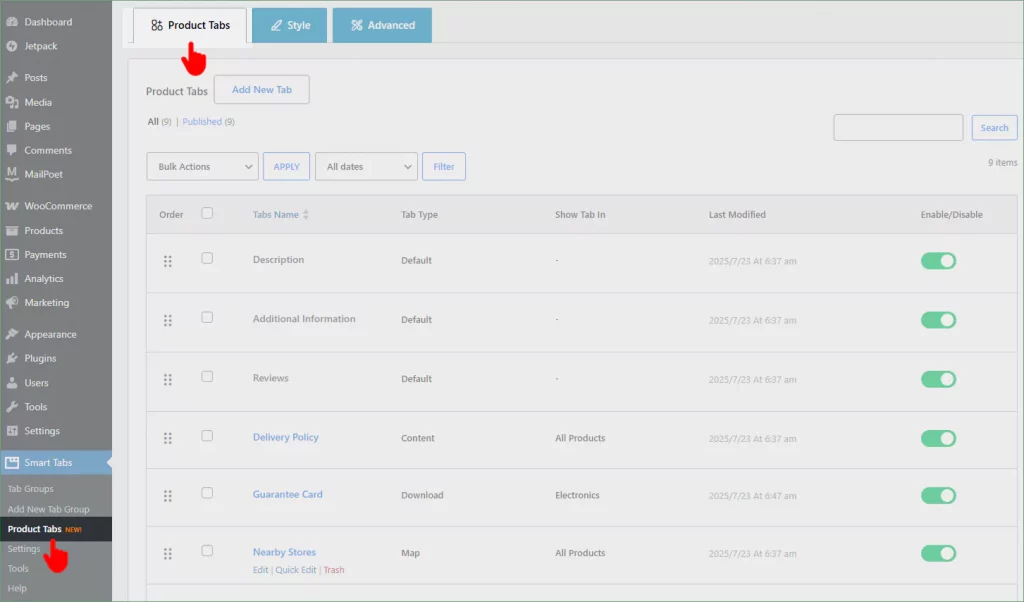
Smart Tabs has launched a dedicated Product Tab that allows you to easily create custom product tabs and efficiently manage them both globally and individually.
Add New Custom Product Tabs
Provide customers with everything they need to buy confidently—clear, well-structured, and engaging product details in custom tabs that build trust and increase conversions. Click the Add New Tab button and go forward.
Create Image Galleries in Product Tabs for Strong Visual Appeal
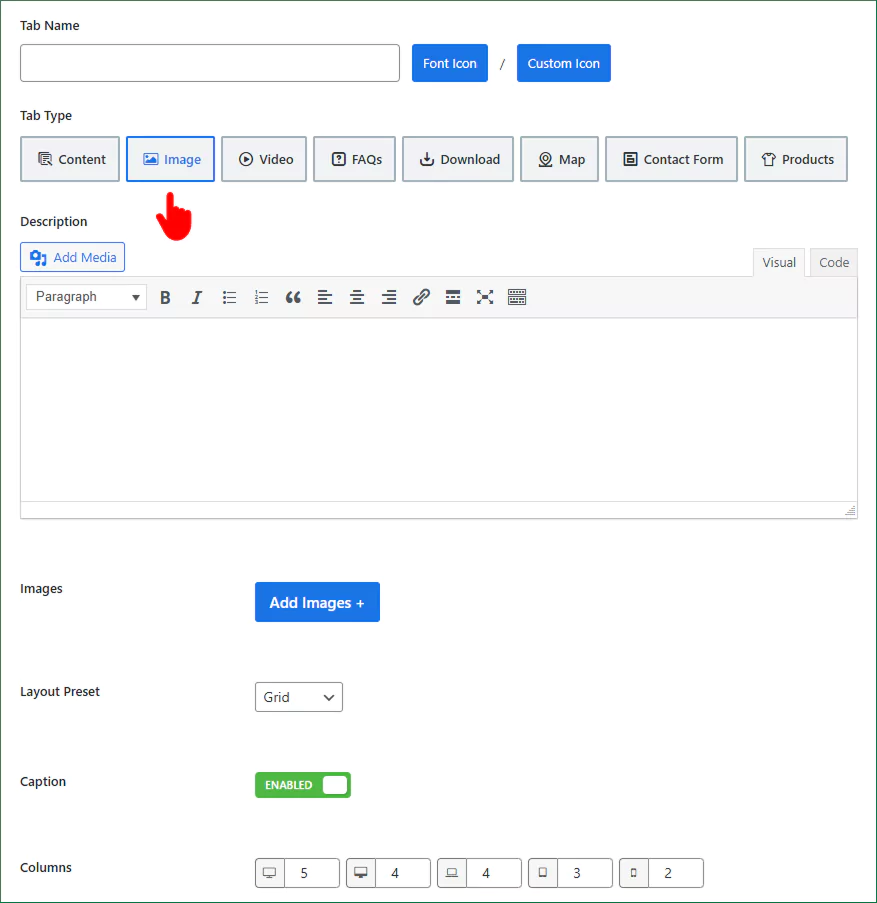
Craft a stunning image gallery for a better visual demonstration and more customer acquisition.
- Create an Image gallery in the Grid layout
- Create an Image gallery in the Masonry layout
- Set column numbers for small and large screens for responsive views
Add a Video Tab to Show Promo Videos, Reviews, Tutorials, and More
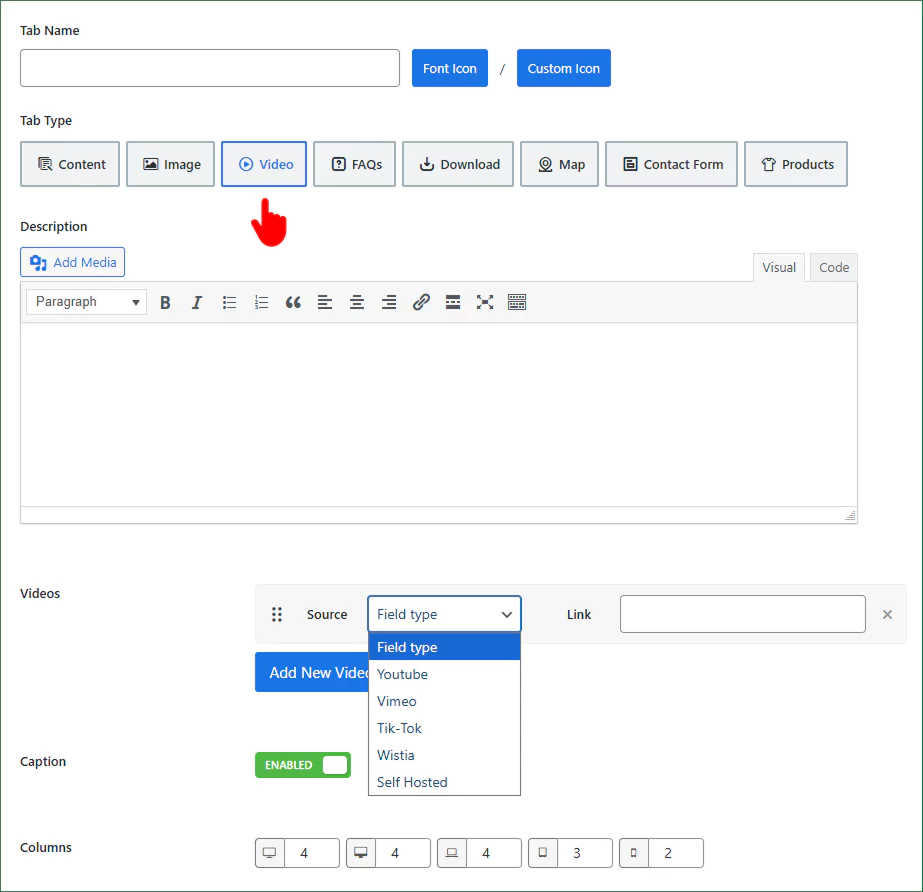
Make your product pages more realistic and reliable with videos that educate, build confidence, and encourage purchases.
Smart Tabs supports videos from:
- YouTube
- Vimeo
- Wistia
- TikTok
- Self-hosted
Add an FAQ Tab to Address Common Questions and Boost Conversions
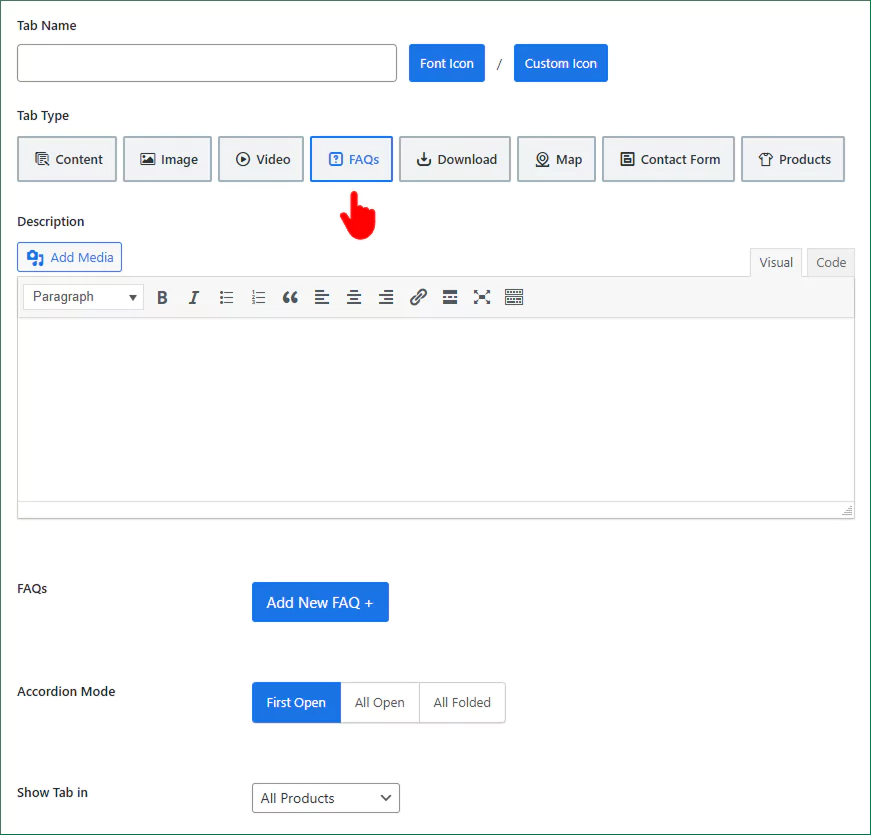
Reduce hesitation and support requests by answering customer questions up front. More clarity, fewer doubts—more sales.
Add a Download Tab to Attach PDFs, Manuals, Charts, Docs, and More
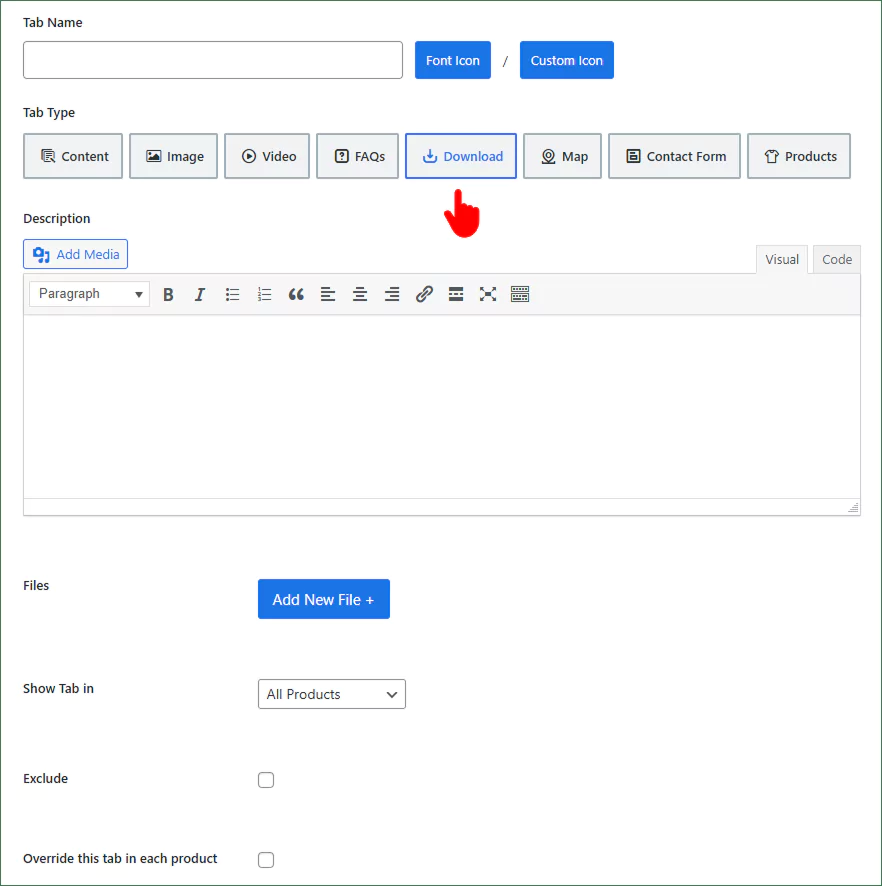
Easily share technical specs, manuals, size charts, warranties, or anything else your customers need—all from a single, organized tab.
Add a Map Tab to show Your Store’s or Company’s Location
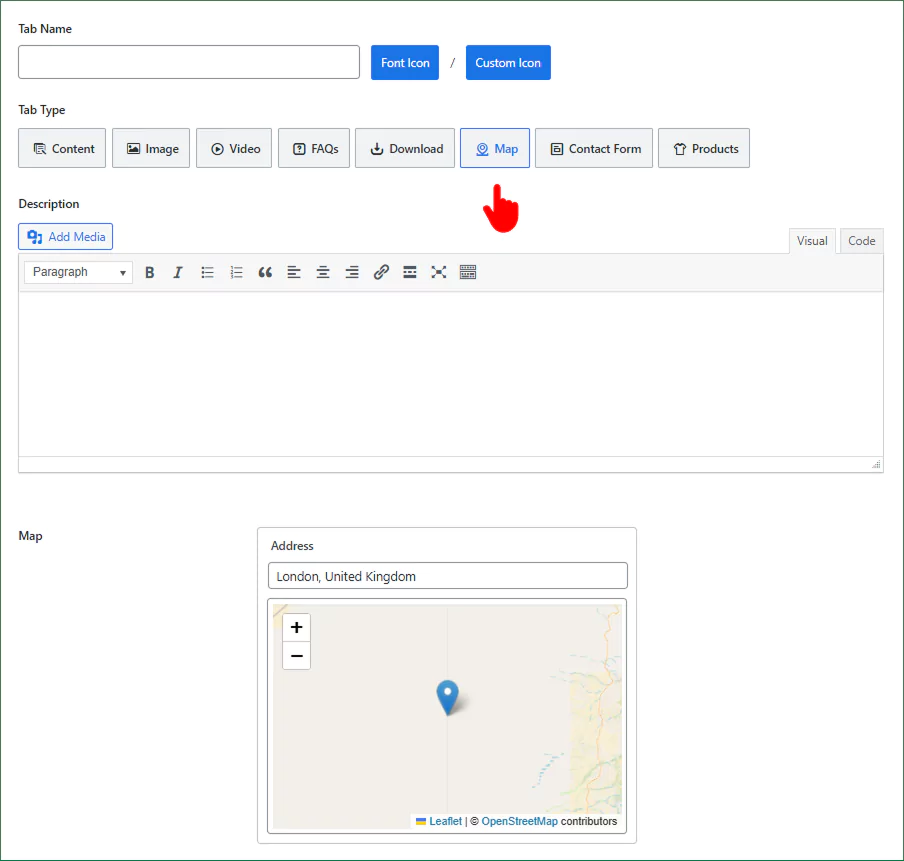
Add a Map Tab to help customers find your physical shop, office, or pickup point with ease. Build trust by showing you’re real and reachable. It’s a must-have feature for local businesses and in-store services.
Add a Contact Form Tab to Capture Leads, Wholesale Inquiries, and Feedback
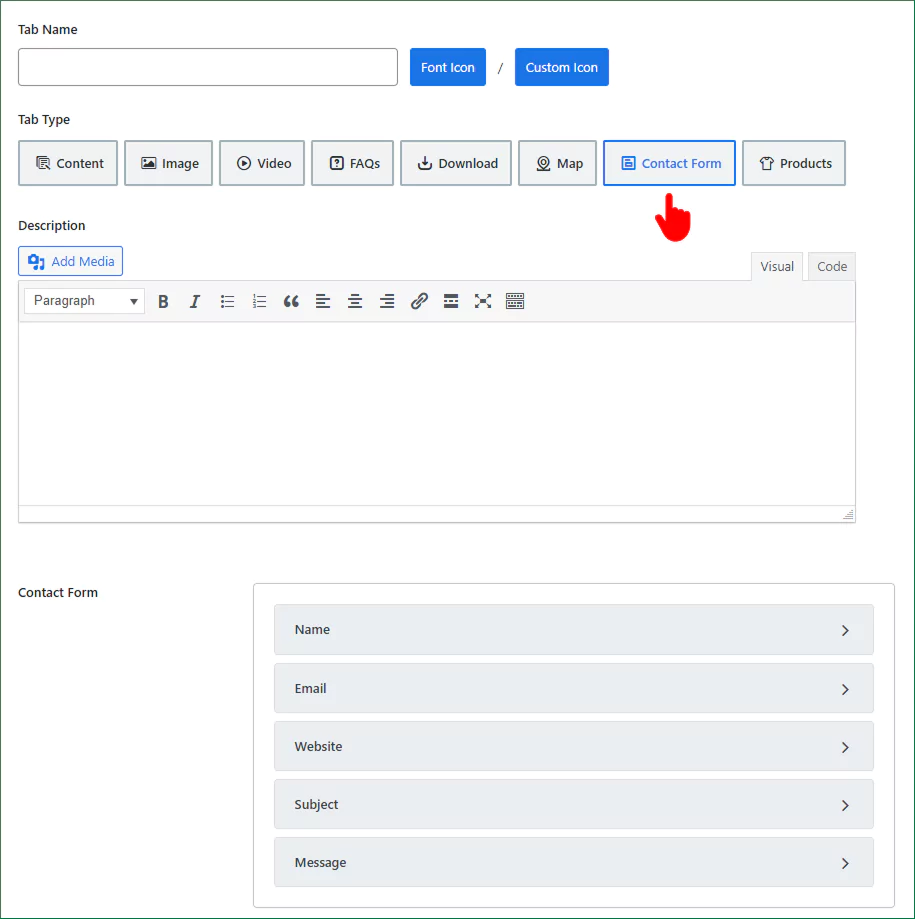
Make it easy for customers to connect right from the product page—ideal for collecting wholesale requests, sales leads, or valuable feedbacks that grow your business.
Add a Dedicated Tab to Showcase Custom Related Products Your Way
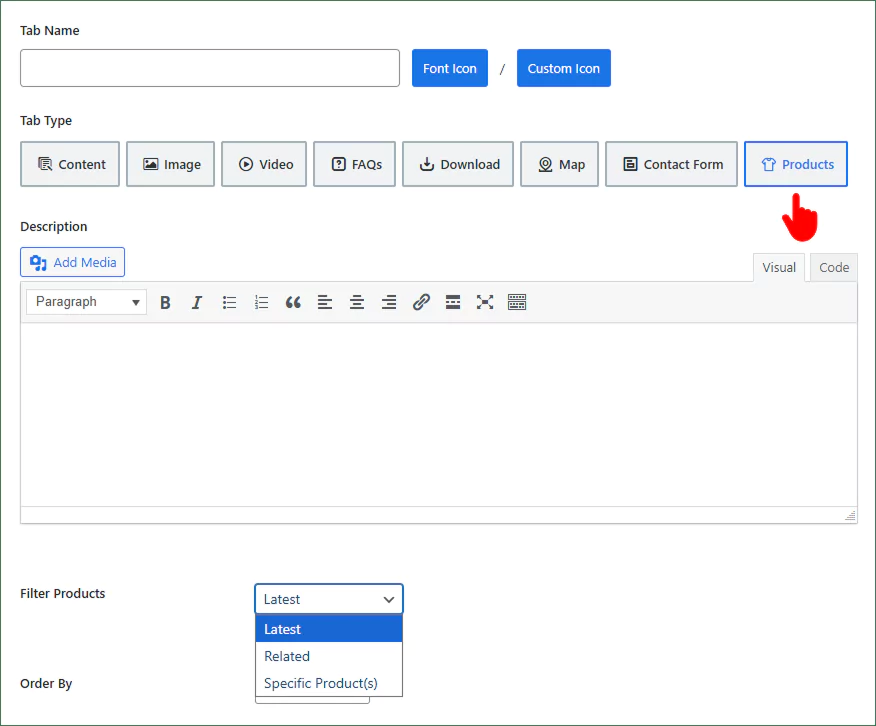
Go beyond default WooCommerce suggestions by creating a custom related products tab. Highlight complementary or frequently bought-together items based on your strategy to increase sales.
Display Tabs by Specific Products, Categories, or Brands
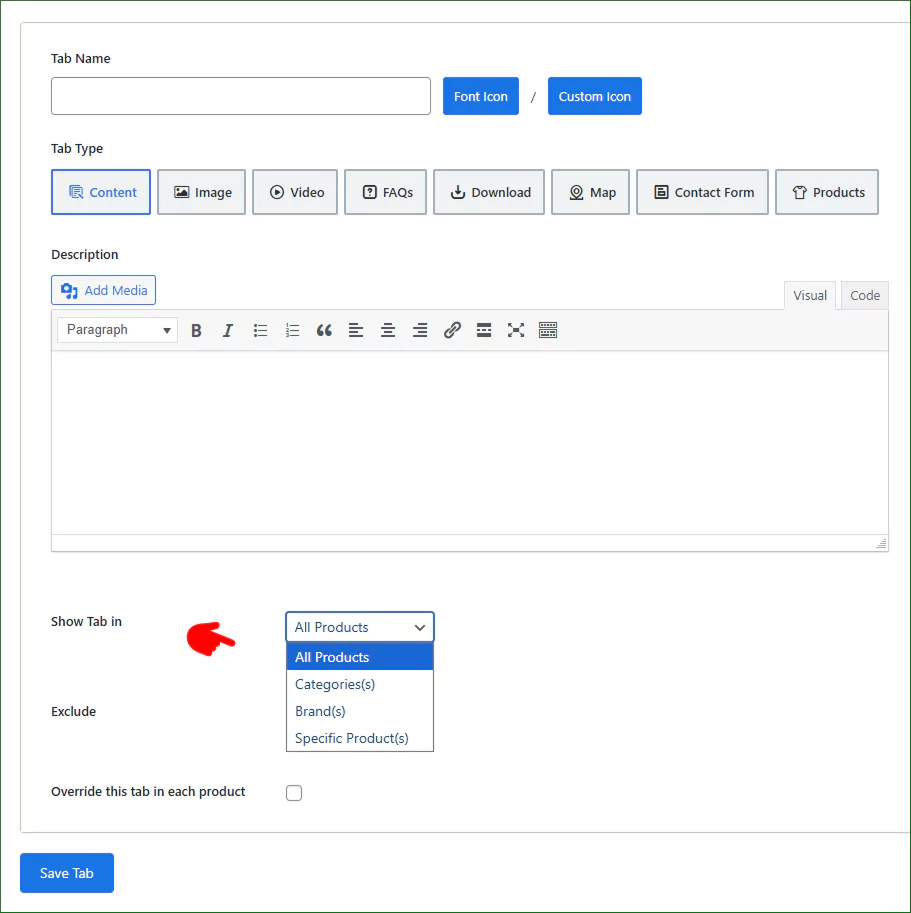
Display the right tabs precisely where they matter—across your entire store, specific products, or categories—to deliver a more personalized and streamlined shopping experience.
Add tabs to:
- All products
- Specific Products
- Specific Categories
- Specific Brands
Moreover, you can exclude any product from the selected ones.
Manage Tabs from One Place: Show, Hide, Reorder, and More
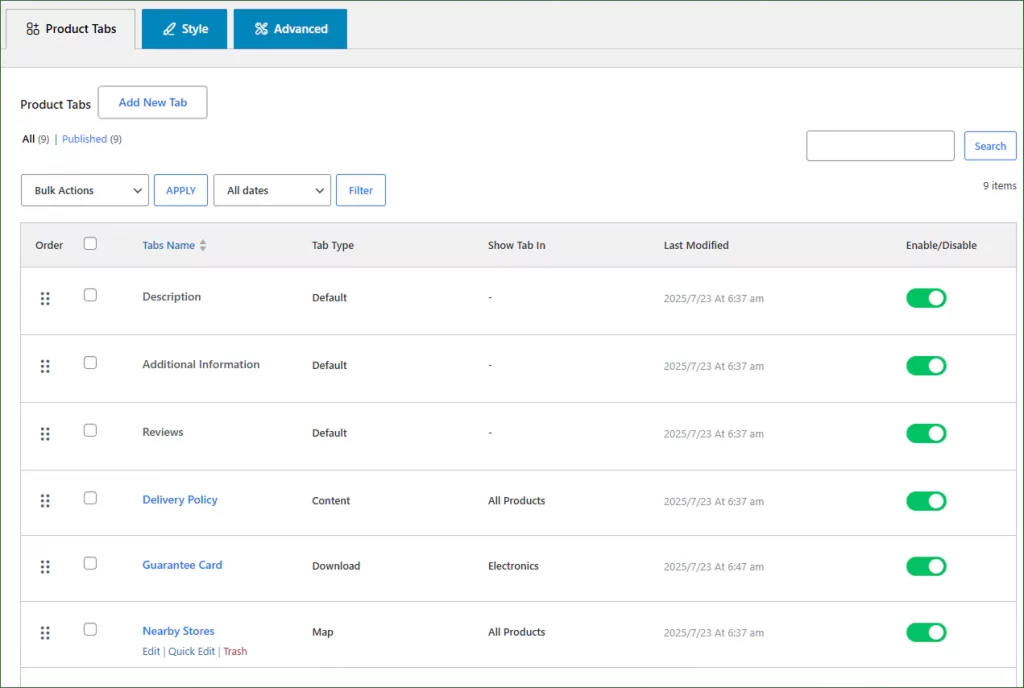
Easily manage all your product tabs from a single dashboard— reorder, quick edit, show, hide, or delete with no hassle.
Disable WooCommerce Default Product Tabs
Keep your product pages clean by removing unnecessary default tabs. Create a cleaner layout that highlights the information your customers care about most. Just turn off the toggles as seen in the image above.
Override the Content of WooCommerce Tabs on Each Product
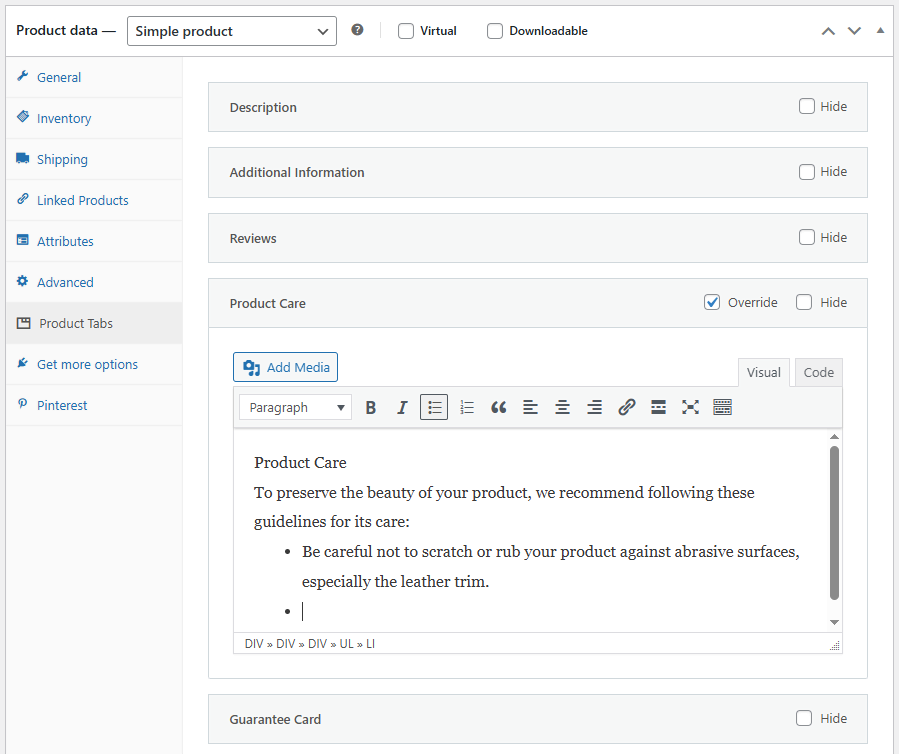
Need different content per product? No problem. Easily override tab content for individual items without changing your global tab settings or layout.
Ready Layouts for Product Tabs
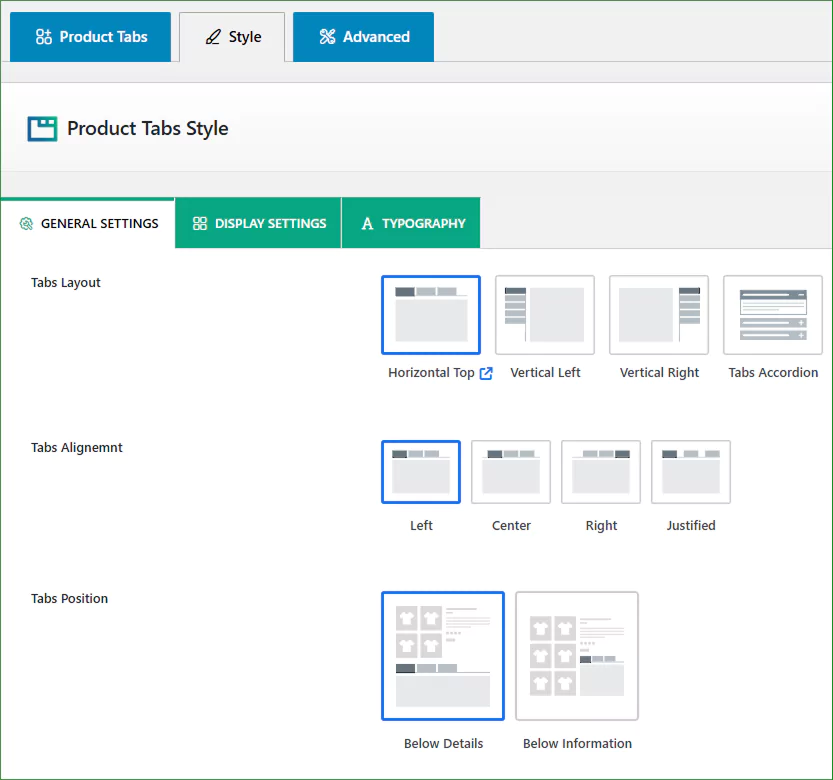
Choose from beautifully pre-designed layouts to get started quickly. No need to design from scratch—just select a layout that fits your brand and customize as needed. The Tabs Accordion is widely used in top brands.
Below Gallery and Beside Gallery Tab Positions
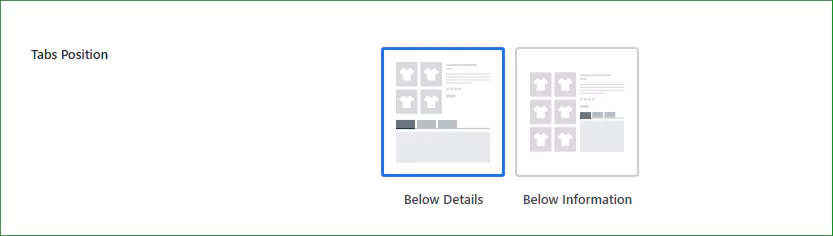
Place your product tabs exactly where they make the most impact—either below the product gallery or beside it for a more modern, flexible layout.
Many Customizations for Product Tabs
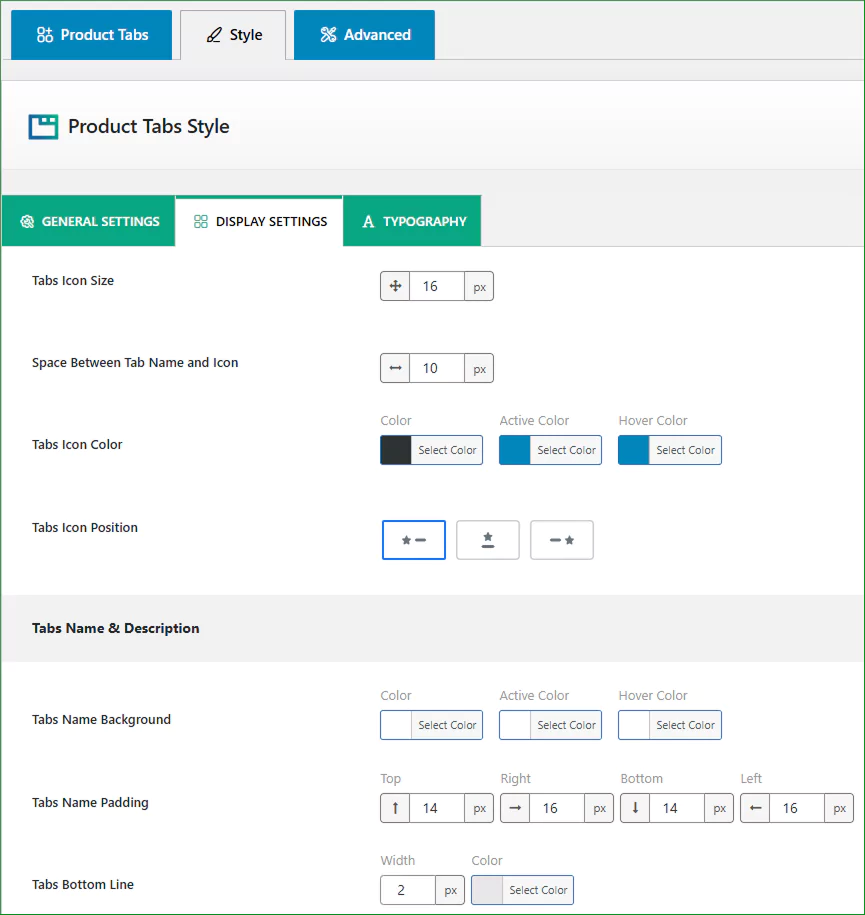
Smart Tabs 3.0.0 offers full freedom to customize colors, icons, typography, and spacing. Match your branding and deliver an aesthetic and functional user experience.
Responsive Tabs: Turn Tabs into an Accordion on Small Screens
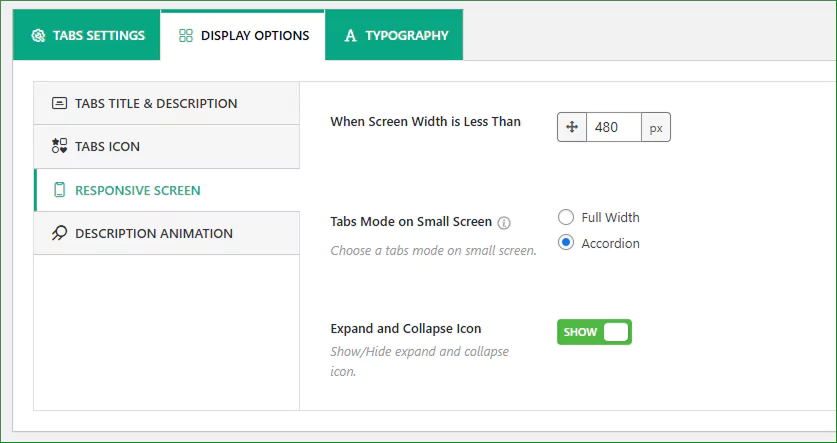
Ensure your tabs look great on all devices. Set tabs to automatically convert into an accordion layout on smaller screens for better usability and readability.
Disable Plugin’s Default Styles for Product Tabs
Want full styling control? Disable default styles and apply your own or theme CSS to match tabs with your site design perfectly.
Here is how a basic custom product tab group looks.
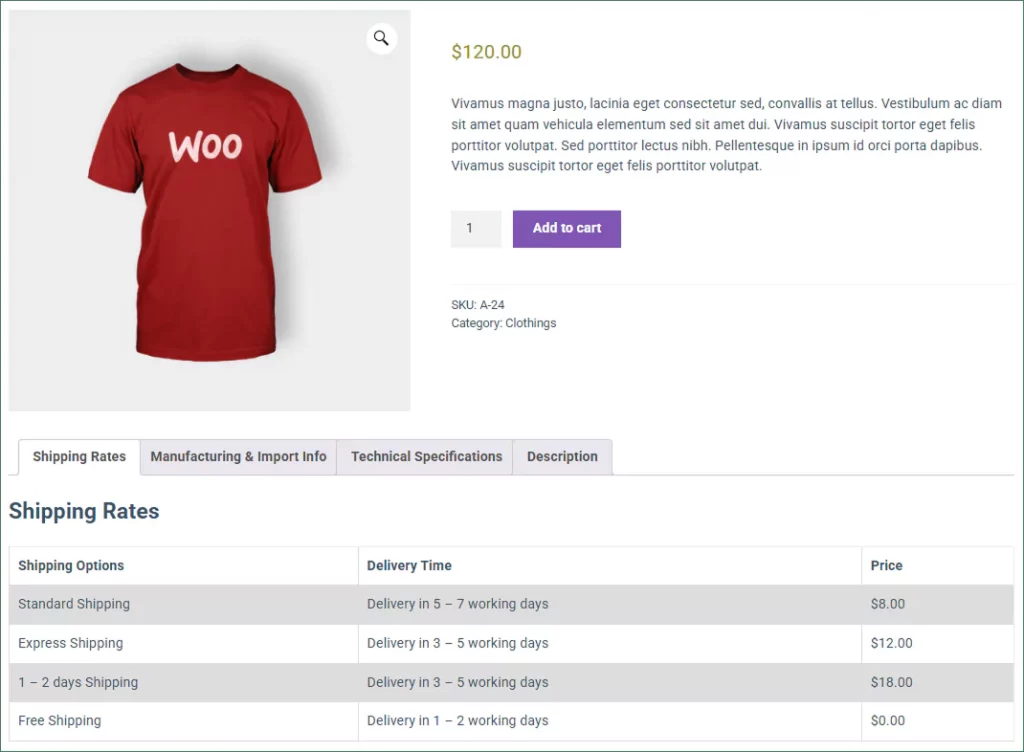
What More?
We have just mentioned the key features above that Smart Tabs 3.0.0 (formerly WP Tabs) has introduced. There are many more impactful features and customizations in Smart Tabs 3.0.0 to give you full control over your product page content.
In a word, Smart Tabs 3.0.0 offers more than what you expect to upgrade your product tabs.
So, let’s try Smart Tabs 3.0.0 now and elevate your product pages to boost sales.
In Smart Tabs 3.0.0, you will find most of the tab best practices done by default.


Leave a Reply