


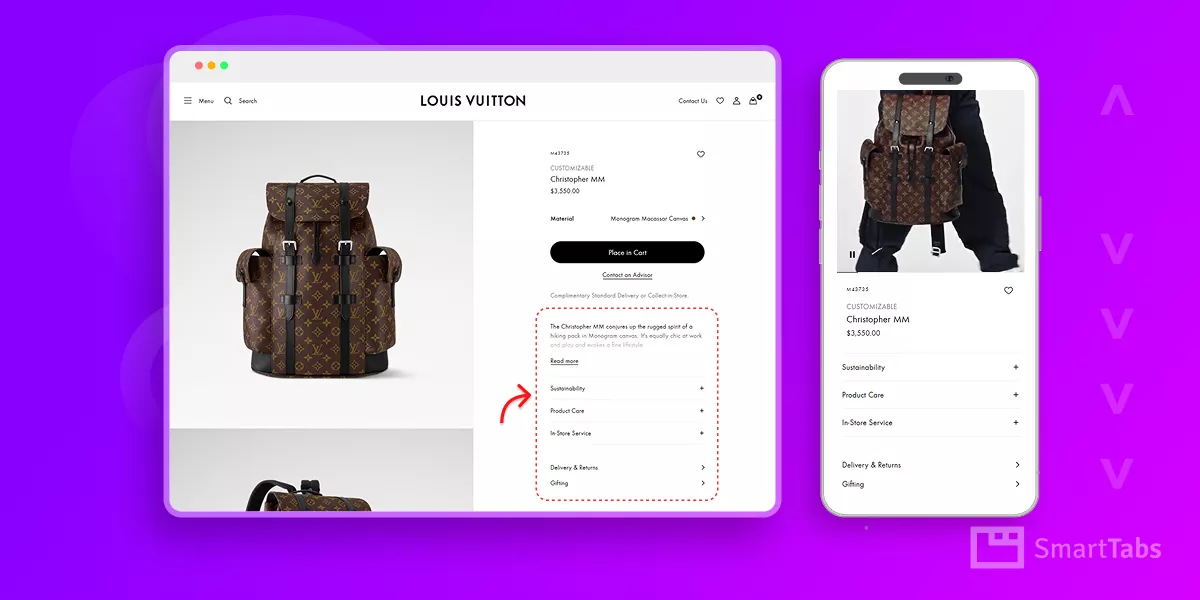
Want to add product info accordions in WooCommerce to organize details neatly and give your product pages a clean, modern look?
Organized product information makes a difference in how shoppers perceive your product pages. A clean, collapsible product info accordion enhances readability, improves user experience, and grows sales.
In this guide, I’ll show you how to add a product info accordion on your WooCommerce product pages— all without any code. This method keeps your product pages modern, user-friendly, and focused on conversions.
Let’s dive in.
What Is a Product Info Accordion in WooCommerce?
A product info accordion is a vertical list of collapsible panels that display product details such as Description, Specifications, Shipping Info, FAQs, and more. Each panel expands when clicked, revealing content while keeping the rest of the content compact and organized.
This layout replaces traditional tab UI with a more intuitive, scroll-friendly format– particularly on mobile, where vertical stacking feels natural and friction-free for most shoppers.
You might have noticed the product information accordions on the product pages of the world’s top brands.
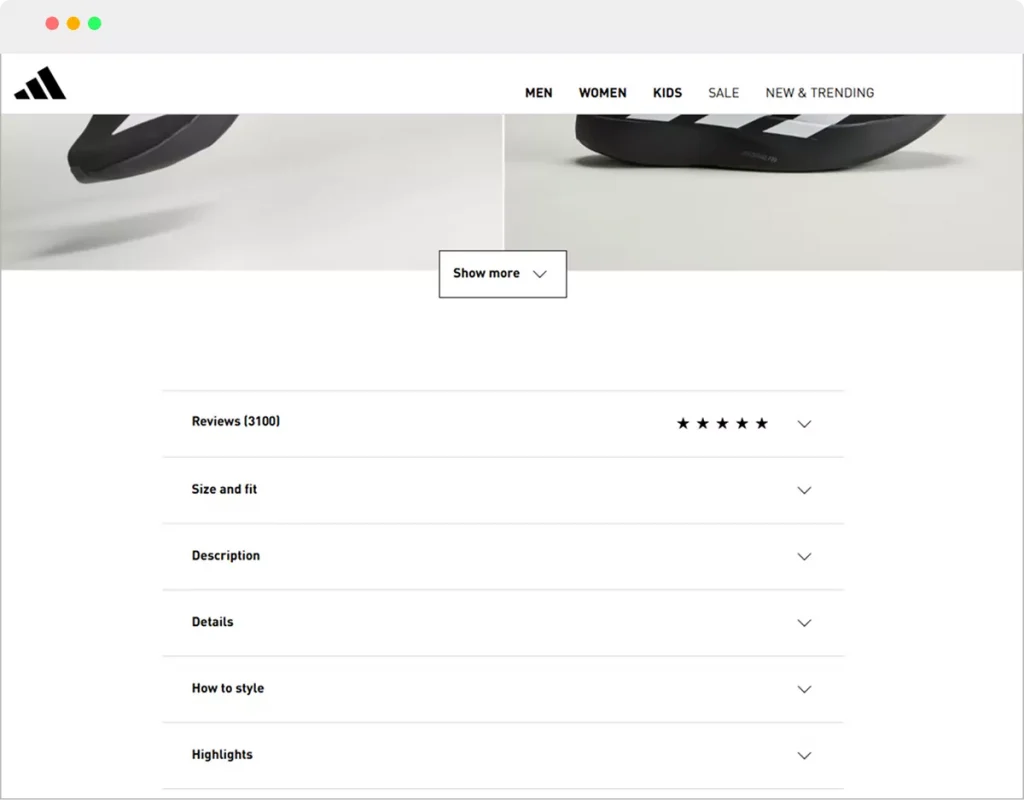

The world’s best brands prefer collapsible accordions to display their product information– why not you?
2 Simple Steps to Add Product Info Accordion in WooCommerce
Adding a product info accordion doesn’t require code or complex setups. In just two steps, you can implement a clean, responsive accordion layout that organizes your product details and supports richer content.
Step 1: Install Smart Tabs
Smart Tabs is one of the most powerful WooCommerce custom product tab and accordion plugins available. It enables product info organization with flexible control over layout, content, and display rules– all from a single, intuitive dashboard.
With Smart Tabs, you can manage collapsible accordions, display media, FAQs, downloadable files, maps, and more across specific products or entire categories.
Key Benefits of Smart Tabs:
- Accordion and vertical tab layouts
- Rich content support for images, video, files, and embedded content
- Assign content per product, category, or brand
- Place accordions below the summary or product gallery
- Drag-and-drop item ordering
- Nested, multi-level accordion support
- Mobile responsive with auto tab-to-accordion switching
Let’s Install Smart Tabs.
Once Smart Tabs is installed and activated, you’re ready for the second step.
Step 2: Choose Product Info Accordion Layout and Customize
Follow the simple steps to add product info accordions to your WooCommerce store’s product pages.
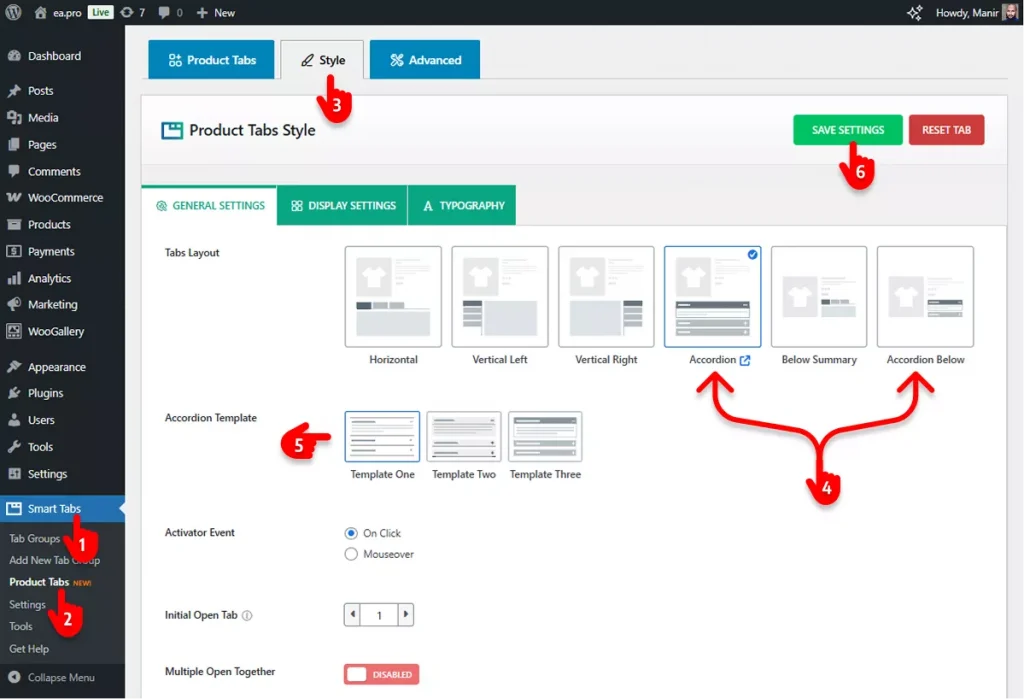
- Go to the Smart Tabs plugin in your WordPress admin sidebar.
- Click Product Tabs.
- Navigate to the Style tab.
- Choose an Accordion layout.
- Explore the features & customizations in 3 tabs and utilize them.
- Finally, hit the SAVE SETTINGS button.
These settings transform your product tabs into the accordion layout across your store.
Open a product page and see the changes. Looks great! Doesn’t it?
Moreover, Smart Tabs lets you add more product info accordion items, such as Size Guide, Delivery & Return, Product Care– as many as you need. Furthermore, it also allows you to hide or edit the accordion items for specific products and categories.
Key Benefits of Using Accordion for Product Info
Switching from default WooCommerce tabs to accordions offers several advantages:
Cleaner Product Pages
Accordions present content progressively, avoiding clutter and overwhelming blocks of text. This organized structure helps shoppers focus on what matters most: product details that influence purchasing decisions.
Better Mobile Experience
Mobile browsing continues to dominate eCommerce traffic. Vertical, collapsible panels fit small screens naturally, so users don’t have to pinch, scroll awkwardly, or hunt through horizontal tabs.
Handles Content of Any Length
Long tab titles and detailed content can look awkward on tabs. Accordions adapt gracefully regardless of content length, letting you include more details without layout breaks.
Modern, Professional Layout
Accordions present a sleek, modern design that elevates the look and feel of product pages — especially compared to outdated default layouts.
SEO-Friendly Structure
Unlike some tab implementations where content can be hidden or loaded dynamically, accordions keep everything in the HTML structure. This ensures search engines can crawl and index your product content easily.
Final Thoughts
Adding product info accordions in WooCommerce is a strategic way to make product pages more organized, engaging, and mobile-ready.
With Smart Tabs, the process becomes simple and flexible– giving store owners the ability to tailor product content layouts without code or complex setups.
Modern shoppers expect effortless browsing and instant clarity. A well-implemented product info accordion delivers both– supporting better user experience and higher conversion potential.
So, let’s add product info accordions effortlessly and boost sales incredibly with Smart Tabs.


Leave a Reply