Join 20000+ Smart Tabs Users to Easily Manage Product Tabs & Grow Sales.

Add a Contact Tab – Get Leads, Sales Queries & Feedback

Turn interest into opportunity. Let customers reach out directly from the product page—perfect for
leads, wholesale deals, and valuable feedback.


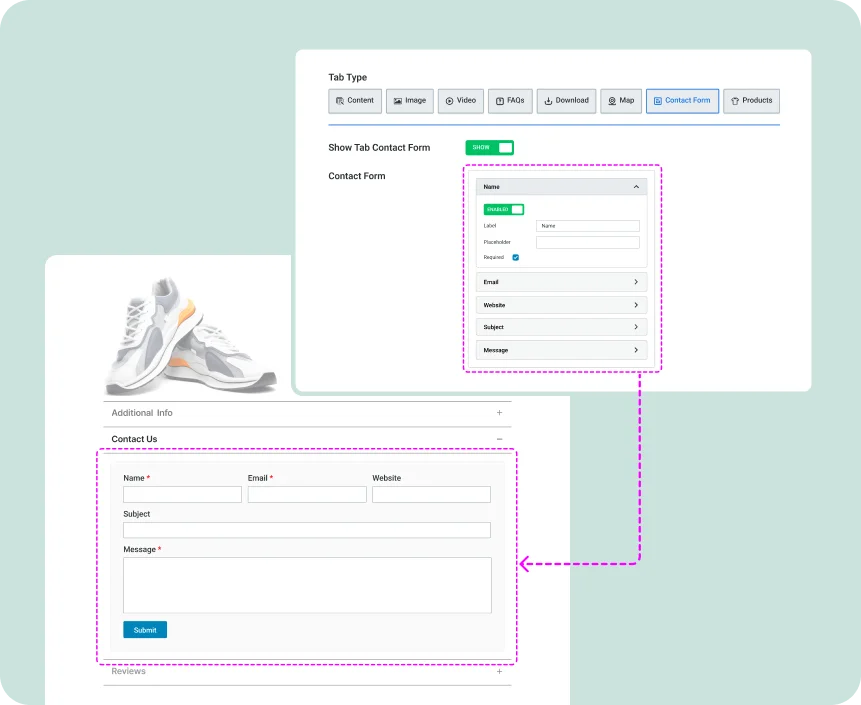
Add a Ready, Customizable
Contact Form

Get a fully functional contact form in seconds. Personalize it to match your store’s style and start collecting customer inquiries effortlessly.

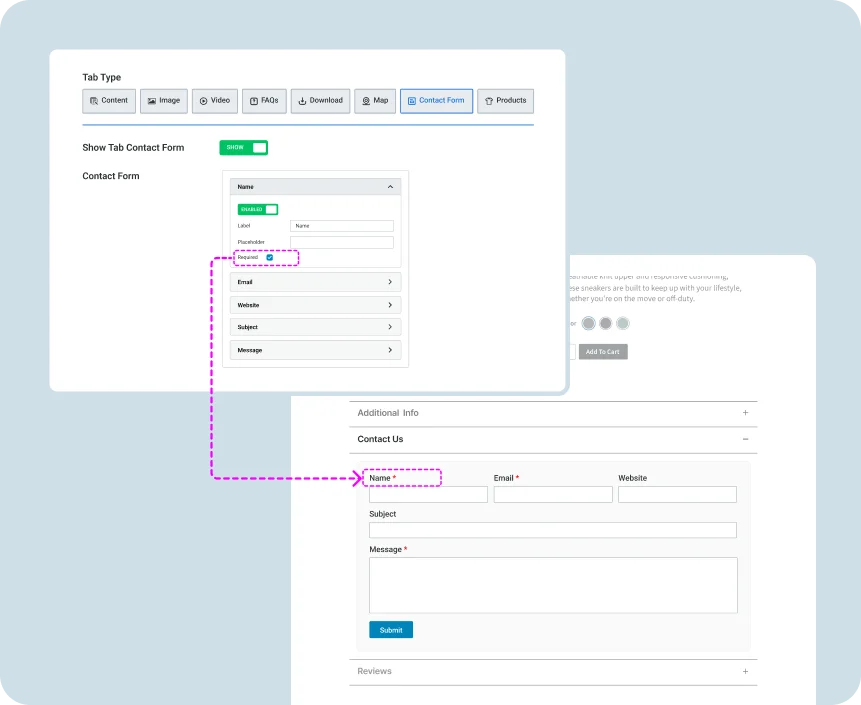
Mark Important Fields as Required

Ensure you capture the right details every time. Easily mark essential fields as required to keep your submissions clear and complete.
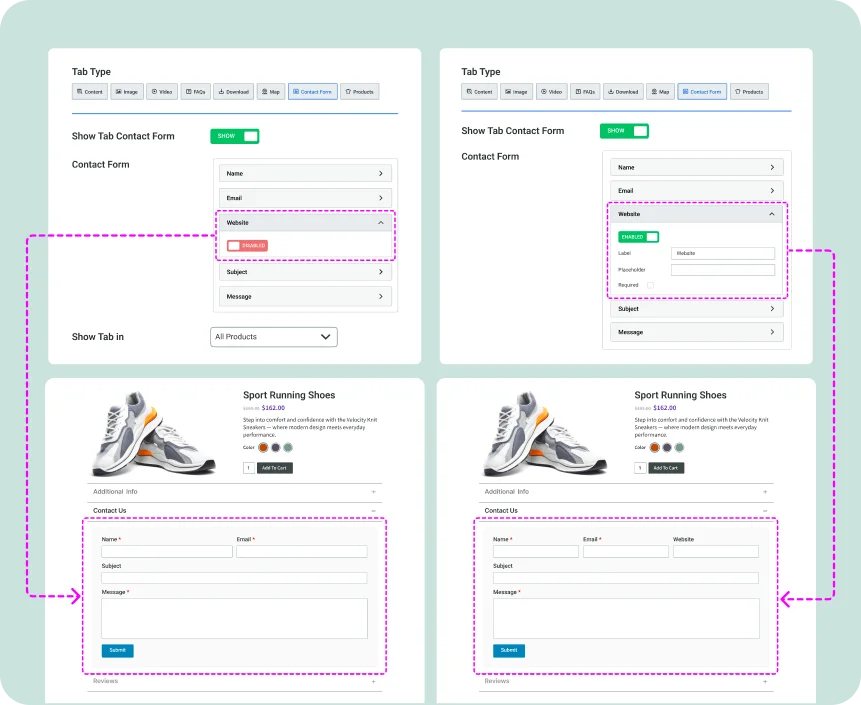
Enable/Disable Form Fields as Needed

Take full control of your form layout. Turn fields on or off with a click — no coding, no hassle.

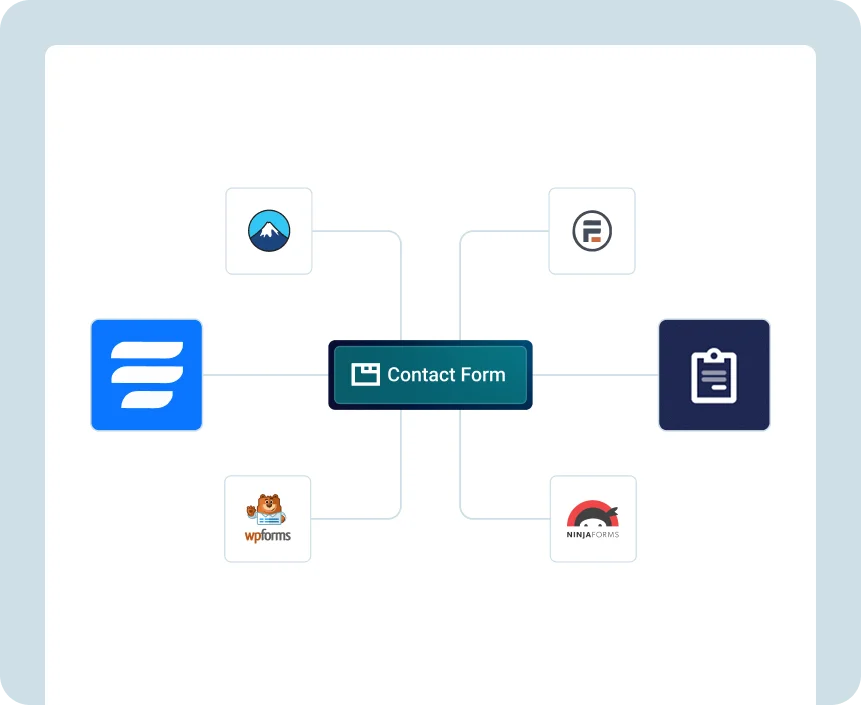
Add Advanced Form with Popular Form Plugins

Want more flexibility? Seamlessly integrate advanced forms using top plugins like Contact Form 7 or WPForms for next-level customization.

Smart Tabs is a powerful yet easy-to-use WooCommerce plugin that helps you organize and display product information in clean, modern tabs or accordions. Add tab types like Specifications, Size Charts, Shipping Info, Galleries, Videos, FAQs, Downloads, Maps, Contact Form, Ingredients, Warranty info, Upsell Related Products, Reviews, and more.


Mix and match or create custom tabs to give shoppers the details they need—boosting engagement, trust, and conversions.

Absolutely. WooCommerce includes Description, Additional Information, and Reviews tabs by default. With Smart Tabs, you can rename, reorder, or hide any of them, as well as disable unwanted tabs—all from the same intuitive drag-and-drop interface.

Yes! Smart Tabs lets you easily rename WooCommerce’s default tabs and add custom icons to match your brand style.

Definitely. Create unique tab content for specific products or categories without affecting your global tab content and settings. Perfect for showcasing special details, offers, or features that make each product stand out.

Yes! Smart Tabs offers 5 Horizontal Tabs Styles (Bottom Line, Top Line, Classic, Button, Rounded) and 4 Vertical Tabs Styles (Default, Classic, Button, Rounded). You can also disable the plugin’s styling to perfectly match your theme’s CSS. With advanced customization options, you can easily adjust colors, fonts, and layouts– and set any tab, default or custom, to open first when the product page loads.

Yes. Easily import or export your product tab content with one click– saving time when duplicating tab layouts across multiple products or sites.

Yes. Everything you’ve created with the free version will stay exactly as it is. Upgrading to Pro simply unlocks more powerful features—your existing content won’t be lost or broken.

Every license includes 1 year of premium support and automatic updates. You can renew your license yearly to continue receiving updates and support, ensuring your site always stays secure and up to date.

Yes. We offer a 14-day money-back guarantee. If you find that Smart Tabs isn’t the right fit for you, simply let us know within 14 days of purchase, and we’ll issue a full refund—no questions asked.

Absolutely. You can upgrade at any time. Just pay the price difference between your current plan and the higher plan, and you’ll get immediate access to the additional features and allowances.

Yes. If your development site is local, nothing else is required. If your development site is online, just send us the URL after purchase, and we’ll add it to your allowed domains list at no extra cost.

Yes. Smart Tabs is designed to work seamlessly with any modern WordPress theme. It’s also fully compatible with popular page builders, so you can build and customize layouts without limitations.